Predictive Dialer Abandon Rate: How to Stay Under 3% Without Idle Agents
Posted on by Areski
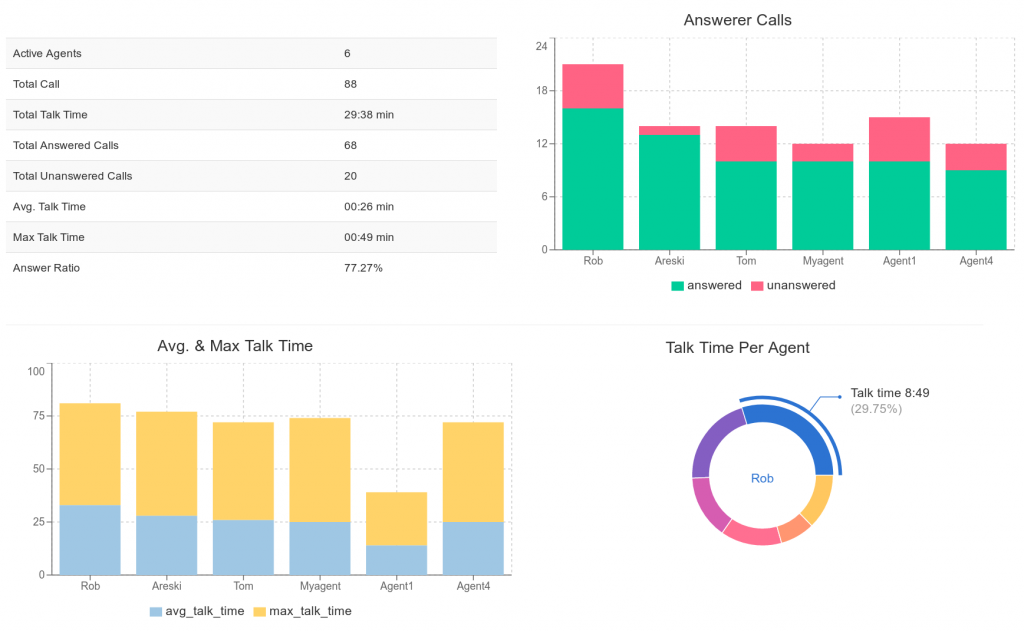
Every predictive dialer makes a bet. It dials more numbers than there are free agents, because most calls will ring out, hit voicemail or go unanswered. When the bet is wrong and a contact picks up with nobody to talk to, that is an abandoned call. Too many of them and you are wasting leads, annoying prospects and, in most countries, breaking the law.
This guide explains how the abandon rate is measured, what the limits are, and the settings and habits that keep it low without the opposite problem: agents sitting idle between calls.
What counts as an abandoned call
An abandoned call is one where a live person answered and was not connected to an agent within a short window, usually two seconds. Calls that ring out, reach an answering machine or fail on the network are not abandoned calls. They never had a person waiting.
That matters for the maths. The abandon rate is abandoned calls divided by answered calls, not by calls dialed. A campaign that dials 10,000 numbers, gets 3,000 live answers and drops 120 of them has an abandon rate of 4%, not 1.2%.
Why the limit is 3%
The two regulators that shape most predictive dialing rules both landed on the same number:
- United States. The Telemarketing Sales Rule allows at most 3% of answered calls to be abandoned, measured per campaign over a 30-day period. The phone must ring for at least 15 seconds or four rings, and an abandoned call must play a recorded message within two seconds that identifies the caller.
- United Kingdom. Ofcom’s policy on silent and abandoned calls also caps abandoned calls at 3% of live calls per campaign, measured over 24 hours, with an information message within two seconds and no repeat call to an abandoned number within 72 hours unless an agent is guaranteed.
Other countries have their own variants, and the details change. Check the current rules for every country you dial into and know who is liable. In the UK it is generally the company selling, in the US the company placing the calls. Our predictive dialer software page has a longer list of the offences that carry penalties.
The trade-off: abandon rate versus agent utilisation
A predictive dialer has one dial to turn: how many calls to place per available agent. Turn it up and agents spend more of the hour talking, but more answered calls find nobody free. Turn it down and the abandon rate falls, but agents wait between calls.
The numbers that move this trade-off are:
| Factor | Effect on the safe dial rate |
|---|---|
| Answer rate of the list | Low answer rate lets the dialer call more numbers per agent |
| Average talk time | Long, unpredictable calls make it harder to forecast when agents free up |
| Wrap-up time | Time spent on notes and disposition after a call is time the dialer must plan for |
| Number of agents logged in | Small teams swing harder: one long call is a big share of capacity |
| Time of day | Answer rates change through the day and so should the pacing |
The last two are the ones people forget. A campaign tuned at 10 am with 20 agents can blow through 3% at 6 pm with 8 agents, because every answered call is now a larger fraction of the available agents.
Seven ways to bring the abandon rate down
1. Start conservative on a new list
The dialer learns the answer rate of a list as it goes. Until it has a few hundred calls of history, run a lower ratio, then let it climb. A brand-new list dialed aggressively in the first ten minutes is the single most common cause of a bad day.
2. Get answering machine detection right
Every voicemail that is misclassified as a human becomes a call the dialer thinks it needs an agent for, and every human misclassified as a machine is a hung-up prospect. Accurate answering machine detection reduces both, and lets the dialer make a better guess about how many calls will actually need a person. DialerAI’s AMD module can also leave a message when it does hit voicemail, so the call is not wasted. See automated voice messaging for how that works.
3. Use a smaller ratio with small teams
Predictive pacing works on statistics, and statistics need volume. With fewer than about ten agents on a campaign, a predictive ratio tuned for a large floor will overshoot. For very small teams, a power dialer that places one call per free agent gives up a little talk time in exchange for an abandon rate close to zero.
4. Keep wrap-up time honest
If agents take 40 seconds after every call but the campaign is set for 15, the dialer will consistently expect agents to be free before they are. Measure the real wrap-up time from your reports and set it accordingly. Then look at whether the agent portal can shorten it: lead disposition from a dropdown and notes on the same screen take seconds, switching to a CRM in another window takes longer. Our post on the agent portal with web-phone covers what is built in.
5. Play a compliant message on every abandoned call
You will still abandon some calls. Both the US and UK rules require a recorded message within two seconds that says who called and, in the UK, gives a number to call back that is not used for marketing. Record it once, attach it to the campaign, and the calls you do drop stop being silent calls, which is the category regulators care about most.
6. Watch the rate per campaign, per day
The rate is measured per campaign, so a compliant account-wide average can hide one campaign at 6%. Put the abandon rate on the daily campaign report next to answered calls and agent talk time, and set a threshold that triggers a pacing change or a pause. On DialerAI the daily call detail report gives you answered, abandoned and connected counts per campaign.
7. Blend inbound to absorb the slack
If you have inbound traffic, a blended campaign lets agents take inbound calls when the outbound pacing is low and go straight back onto the campaign afterwards. That means you can run the outbound side a notch more conservatively without paying for it in idle time.
What a good day looks like
For a campaign with 15 to 30 agents on a reasonable list, an abandon rate between 1% and 2.5% with agents on live calls for 40 minutes or more of every hour is a realistic target. If you are at 0.5% with agents waiting, there is room to turn the ratio up. If you are above 3% at any point in the day, turn it down first and look for the cause second: a list with a higher answer rate than expected, agents leaving the campaign, or wrap-up time drifting upward.
How DialerAI handles it
DialerAI’s predictive dialing adjusts the number of calls placed to the number of agents logged in and available, with per-campaign settings for the calls placed per agent, ring time, retry intervals and the message played on an abandoned call. Answering machine detection, do-not-call lists, timezone-aware calling hours and per-campaign reporting are built in, and the agent portal keeps disposition and notes on the same screen as the call. The full list is on the features page.
To test drive DialerAI on your own list and see the abandon rate for yourself, please contact us for a free trial.